
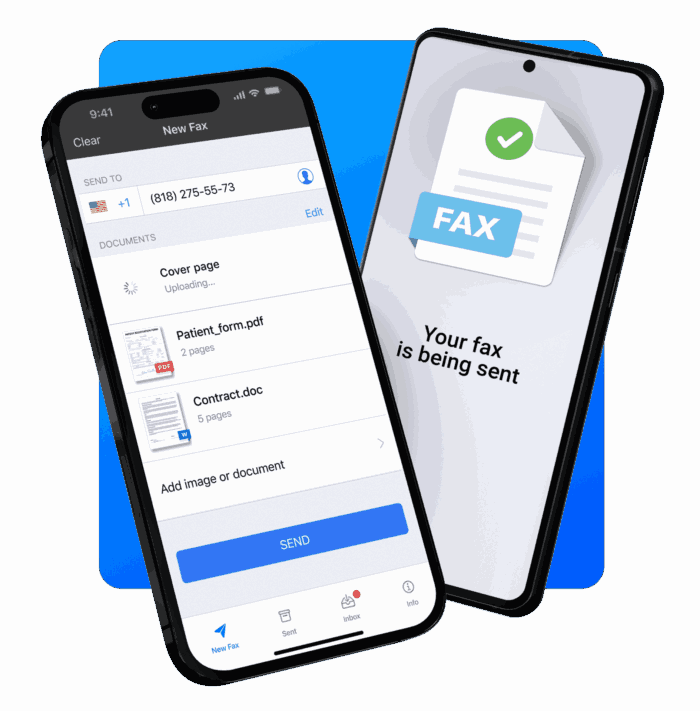
Faxing might seem like a relic from the past, but it’s still widely used in industries like healthcare, legal services, government, and finance. The difference today is that you no longer need a physical fax machine or landline. With the right iPhone fax app, you can scan, send, and receive faxes directly from your smartphone.
In 2026, mobile fax technology has improved significantly. Many apps now include AI document scanning, cloud storage integration, and international fax support, making them faster and easier to use than traditional fax machines.
Below are the best iPhone fax apps for 2026, ranked based on usability, reliability, features, and overall value.
1. Municorn Fax App (Best iPhone Fax App Overall)
The Municorn Fax App is one of the most modern and user-friendly fax apps available for iPhone users today. Designed specifically for mobile devices, it allows users to scan documents with their phone camera and send faxes globally within seconds.
Instead of relying on outdated fax hardware, Municorn uses secure cloud-based fax transmission, meaning documents are delivered quickly and safely.
Key Features
- Send faxes to 90+ countries
- Built-in document scanner with image enhancement
- Supports PDFs, images, and DOC files
- Fast cloud-based fax delivery
- Simple mobile-first interface
One of the reasons Municorn ranks so highly is its simplicity. Many fax apps are cluttered with enterprise-style dashboards, but Municorn keeps the process streamlined so sending a fax feels similar to sending an email.
For freelancers, remote workers, and businesses needing reliable mobile faxing, it’s one of the best choices available in 2026.
2. iFax (Best Secure Fax App)
iFax is a powerful mobile fax platform known for its security and compliance features. It is frequently used in healthcare, legal, and financial industries where secure document transmission is critical.
The app allows users to send and receive faxes from their iPhone while maintaining strong encryption and compliance standards.
Key Features
- 256-bit encryption
- HIPAA-compliant faxing
- Built-in document scanning
- Cross-device syncing
- Cloud storage integrations
For professionals dealing with confidential documents, iFax is one of the safest fax apps available.
3. Fax.Plus (Best Fax App for Businesses)
Fax.Plus is a popular cloud fax platform used by individuals and businesses worldwide. It allows users to send faxes through mobile apps, email, or desktop dashboards.
The service is particularly useful for companies that need a centralized fax system across multiple users.
Key Features
- Send and receive faxes directly from iPhone
- Dedicated fax numbers
- Email-to-fax functionality
- Team collaboration features
- Secure cloud infrastructure
Fax.Plus is ideal for companies that require scalable fax services across teams or departments.
4. eFax (Best Established Fax Service)
eFax is one of the most recognized names in digital faxing. It has been used by millions of businesses around the world and continues to be a reliable solution for sending and receiving faxes online.
Key Features
- Send faxes from iPhone, email, or desktop
- Dedicated fax numbers
- Integration with Gmail and Outlook
- Large monthly fax allowances
- Secure cloud document storage
While eFax is often more expensive than newer apps, its reliability and global infrastructure make it a trusted enterprise option.
5. FaxBurner (Best Free iPhone Fax App)
If you only need to send a fax occasionally, FaxBurner is a simple and affordable option. The app offers a limited free plan that allows users to send a small number of faxes without paying a subscription.
Key Features
- Free fax sending with limits
- Temporary fax numbers
- Mobile document scanning
- Email-to-fax functionality
FaxBurner works well for individuals who only need to send the occasional fax without committing to a monthly service.
Why iPhone Fax Apps Are Growing in Popularity
Traditional fax machines require a phone line, paper, and physical maintenance. The best mobile fax apps eliminate these issues by using cloud-based transmission and digital document scanning.
Benefits of Using an iPhone Fax App
Convenience
Send faxes from anywhere using your smartphone.
No Hardware Required
You don’t need a fax machine or landline.
Document Scanning
Use your iPhone camera to scan and send documents instantly.
Secure Transmission
Many apps use encrypted cloud fax technology.
Digital Storage
Documents can be saved and organized in the cloud.
Because of these benefits, many businesses are replacing traditional fax machines with mobile fax apps.
How to Choose the Best iPhone Fax App
Not all fax apps offer the same features. When choosing one, consider the following factors.
Ease of Use
Look for apps with simple interfaces and fast document scanning.
Security
If you handle sensitive documents, choose an app that offers encryption and compliance features.
Pricing
Some fax apps charge monthly subscriptions while others allow pay-per-fax options.
International Fax Support
If you send documents overseas, ensure the service supports global fax transmission.
Final Thoughts
Faxing may be decades old, but it remains an essential communication tool in many industries. Fortunately, modern apps have made the process far easier and more convenient.
If you want the best iPhone fax app in 2026, the Municorn Fax App stands out thanks to its fast interface, simple design, and reliable global fax delivery.
Meanwhile, iFax, Fax.Plus, and eFax offer strong alternatives for businesses that need enterprise features, security compliance, or team collaboration tools.
With today’s mobile technology, sending a fax is now as easy as scanning a document and tapping send on your iPhone.