
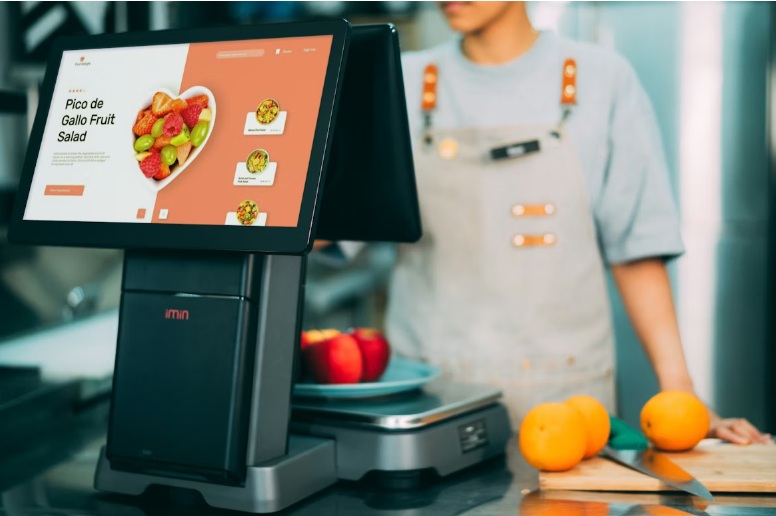
Are you trying to choose a cloud POS system that helps your restaurant run smoothly from the first order to the last payment of the day?
A modern cloud POS can support daily service, staff coordination, menu updates, reporting, and guest satisfaction in one connected setup. For restaurants, the right system is not only about taking orders. It also supports speed, accuracy, communication, and better visibility across the business.
This article shares the features that matter most when comparing options. The goal is to help you understand what makes a cloud system useful, practical, and easy to work with in a busy restaurant setting.
Why These Features Matter
Restaurants move quickly, and technology plays a big part in keeping service organized and efficient. A well-built cloud POS supports the front counter, the kitchen, team members, and managers at the same time. It also helps owners keep track of sales, menus, and performance from one place.
When looking at a restaurant pos system, it helps to focus on features that support everyday work and long-term growth. The twelve areas below can help you compare systems with more clarity.
1. Cloud Access
Cloud access allows restaurant teams to view sales, menus, and reports online. This makes it easier to manage updates across one location or several stores. Owners and managers can stay connected to the business and review information from different devices when needed.
2. Fast And Easy Order Entry
Speed at the register matters during lunch rushes, dinner service, and peak hours. A strong cloud POS should make order entry quick and clear for staff. Clean screens, simple menu layouts, and well-organized modifiers help team members work with confidence and keep lines moving.
3. Flexible Menu Management
Menus change often. Seasonal items, limited-time offers, combo meals, and price updates all need a system that can be adjusted with ease. Flexible menu management helps restaurants keep offerings current and consistent across all ordering points.
4. Kitchen Communication
Good communication between the front of house and the back of house supports a smoother service flow. Integration with a kitchen display system can help kitchen teams receive orders clearly and stay aligned on timing, preparation, and order status.
5. Integrated Payment Options
A cloud POS should support modern payment needs in a clear and efficient way. Card payments, digital wallets, and contactless checkout can all help create a smooth guest experience. Built-in payment support also helps staff complete transactions quickly and keep service moving.
6. Real-Time Reporting
Real-time reporting gives restaurant teams a clear view of what is happening during the day. Managers can track sales trends, popular menu items, peak service times, and team performance. This information helps support smarter planning and better day-to-day decisions.
Here are a few reporting areas that many restaurants value:
- Sales by hour or day
- Best-selling menu items
- Average ticket size
- Staff activity
- Location-based performance
7. Staff Management Tools
Many cloud POS systems include features that support employee roles, permissions, and clock-in activity. This helps managers organize team access and maintain a clear workflow. It also gives staff the tools they need to do their jobs efficiently.
8. Support For Different Service Models
Restaurants serve guests in different ways. Some focus on dine-in, some focus on pickup, and others depend on quick service lanes. A POS that supports these formats gives restaurants more flexibility in how they operate.
For locations with high-volume lane service, connection with a drive thru system can support faster order handling and better coordination.
9. Multi-Location Management
For restaurant groups, multi-location management is an important feature. It allows teams to manage menus, pricing, and reports across several sites from a central view.
10. Integration With Other Restaurant Tools
A cloud POS works best when it connects well with other systems used in the business. Online ordering, loyalty tools, accounting software, and guest data platforms all become more useful when information flows together in one connected setup.
A simple comparison can help here:
| Feature Area | How It Helps Restaurants |
| Online Ordering | Keeps orders organized across channels |
| Loyalty Programs | Supports repeat visits and guest retention |
| Reporting Tools | Gives a clearer view of performance |
| Back Office Systems | Helps with planning and daily oversight |
11. Mobile Device Compatibility
Mobile device support gives restaurants more flexibility in how orders are taken and managed. Staff can use tablets or other devices to support service at the table, curbside, or special events.
12. Reliable Hardware And User-Friendly Design
A cloud POS should feel clear and comfortable to use during busy service hours. User-friendly design helps staff learn the system more quickly and stay focused during shifts. Reliable hardware also supports steady performance at the counter, in the kitchen, and throughout the restaurant.
Choosing A System That Fits Your Restaurant
Every restaurant has its own service style, menu setup, and team structure. That is why it helps to look beyond basic checkout functions and focus on features that support the full operation.
A useful cloud POS should help restaurants manage orders, payments, kitchen communication, reporting, and service flow in one organized setup. It should also support the way your team works today while giving you room to grow over time.