
AI detection used to feel simple. You pasted text into a tool, got a score, and moved on.
Now? Not so much.
Most writing is messier. A student may draft an essay, polish a few paragraphs with AI, rewrite the intro by hand, and run the final version through a grammar tool. A content writer may use AI for structure, then add examples, edits, and brand voice. The result is not fully human or fully AI. It sits somewhere in the middle.
That is where GPTVerify.com becomes useful. It gives users a fast way to check whether a text looks AI-generated, human-written, or suspiciously polished.
Let’s look at what GPTVerify does, where it helps most, and where users still need human judgment.
What GPTVerify does
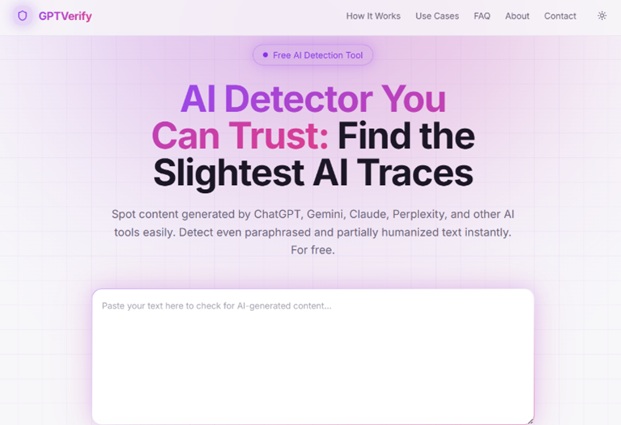
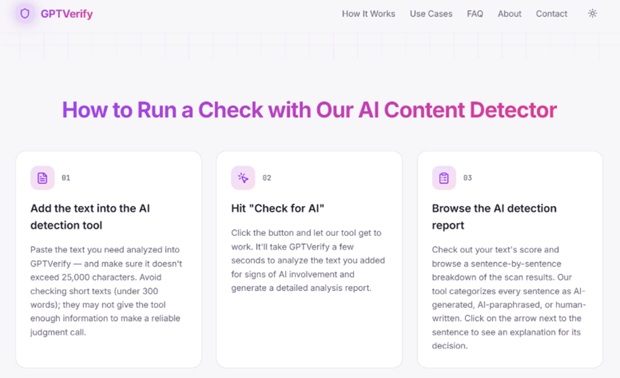
GPTVerify is an AI detection tool built to check whether a piece of writing shows signs of AI generation. The workflow is simple:
- Paste your text into the checker
- Run the scan
- Review the AI detection score
- Decide whether the draft needs another look
That simplicity is one of the tool’s best features. You do not need to set up a complicated project, learn a dashboard, or decode a dozen metrics before getting the result.
A good GPT detector should answer one basic question quickly: does this text look like it was written or heavily shaped by AI?
GPTVerify does that without making the process feel heavy.
Why this free Chat GPT detector is useful for mixed writing
The most interesting use case is not obvious AI text. Anyone can spot some AI drafts from ten steps away. They sound balanced and strangely allergic to personality.
The harder case is mixed writing.
That includes:
- Human drafts polished by AI
- AI drafts edited by a human
- Paraphrased AI content
- Formal writing that may trigger detection
- Blog posts, essays, or emails that sound too smooth
This is where GPTVerify helps users check the gray area before they submit, publish, or approve a draft.
The result should not be treated as a final verdict. It is a signal. If the score looks risky, the next step is revision.
What I liked about GPTVerify
What I liked most about GPTVerify is that its results felt close to what was actually happening in the text.
In my test, the fully human-written sample came back with a 7% AI score, while the AI-generated text landed at 95%.
The more interesting test was a human-written piece that had been heavily edited with AI. It still had a real human draft underneath it, but the final version had refined phrasing, smoother transitions, and that slightly too-polished AI rhythm. GPTVerify gave it a 66% AI score, which reflected the true picture pretty well.
The strongest benefits I noticed:
- It gives results that feel proportional, not random or overly dramatic.
- It can catch the difference between fully AI-written text and human text polished with AI.
- It gives a useful signal when a draft needs more human editing before publishing or submitting.
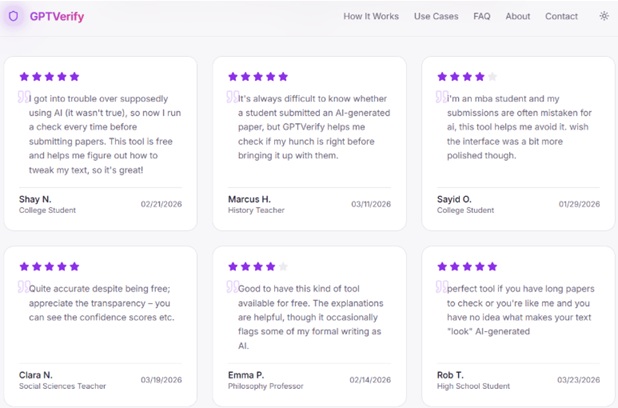
- It is simple enough for students to use without reading a technical manual first.
- It works well as a quick originality checker when you want to catch AI-heavy phrasing before someone else does.
That is the kind of result I want from an AI detector.
How to use GPTVerify well
A GPT AI detector works best when you use it with context. The score can help you notice patterns, but it cannot know how a text was created.
A smart workflow looks like this:
- Scan the draft. Get the initial AI detection score.
- Look at the writing itself. Check for vague claims, stiff transitions, and repetitive rhythm.
- Revise the weak parts. Add examples, sharper wording, and more natural sentence variety.
- Run another check. See whether the revised version feels less AI-shaped.
- Use judgment. Do not rely on one score alone for serious decisions.
This makes the tool more reliable because you are not asking it to do all the thinking. You are using it to support your own review.
Who GPTVerify is best for
GPTVerify can help different users for different reasons.
Students can use it before submitting essays, discussion posts, or reports. It can show whether a draft looks too AI-assisted and needs more original phrasing.
Writers and bloggers can use it before publishing AI-supported content. If a post sounds too clean, the score can be a useful warning.
Editors can use it to review contributor drafts, guest posts, or freelance content before approval.
Teachers can use it as an early signal when a text raises questions, though not as final proof.
Marketers can use it to check landing pages, email drafts, and product copy that went through AI editing.
That makes GPTVerify a useful AI detector for people who need a quick content check without turning the process into a full investigation.
Where GPTVerify needs human judgment
No AI detector should be treated like courtroom evidence.
GPTVerify can tell you that a text shows AI-like patterns. It cannot prove the full writing process behind it. A very formal human text may look suspicious. A heavily edited AI draft may look more human. A middle score may mean mixed authorship, careful editing, or simply generic writing.
So, the safest approach is this:
- Use the score as a warning sign, not a verdict
- Check the actual text before making decisions
- Look for drafts, notes, or revision history if the stakes are high
- Avoid accusing someone based on one scan
- Revise text that sounds too polished, vague, or formulaic
A trustworthy detector helps you ask better questions. It does not replace judgment.
What could be better
GPTVerify’s biggest strength is also its limit: it is simple.
The tool is great for quick checks, but users who want deeper writing feedback may want more detail. For example, sentence-level notes, highlighted passages, or rewrite suggestions would make the tool more useful for people who want to fix the text after scanning it.
The basic score is helpful, but a more guided report would make the experience stronger.
Still, for a focused GPT checker, the tool does its job well. It gives users a fast answer, keeps the interface intuitive, and works best as a first-pass review tool.
Final verdict
GPTVerify is a useful AI detection tool for people who need a fast, clear check on modern writing.
Its best use case is mixed-origin text: drafts that may include human writing, AI support, paraphrasing, editing, and polishing. That is the reality many students, writers, and editors deal with now.
The tool is simple, quick, and practical. It is not perfect proof, and it should not be used as the only basis for serious accusations. But as a reliable first check, it does the job.
Use GPTVerify when a draft sounds too polished or generic, which hints at AI assistance. Then use the result to revise smarter, ask better questions, and make a safer final call.